



FlexiSpy – Powerful Monitoring App With Over 150 Features
FlexiSpy is a powerful and highly discreet monitoring application for Android, iPhone, Mac, and Windows devices. Once installed, it runs in the background, completely undetectable to the device user. On Android devices, many features are available without root access; however, on iPhones, some advanced features may require jailbreaking.
At a time when cyberbullying and cybercrime are on the rise, this software has become an integral part. You can use FlexiSpy to protect your child from cybercrime, online fraud and digital theft, while also monitoring your employees and protecting your intellectual property.
What is FlexiSpy?
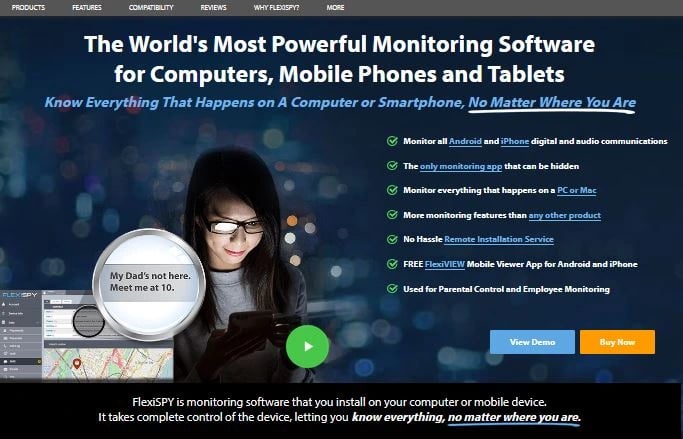
FlexiSpy is a comprehensive and powerful monitoring and tracking solution designed for parents and employers who are concerned about their children and employees. This monitoring software operates discreetly and records all activities of the target user. It offers a range of powerful features that give you deep insight into your loved ones' online activities. FlexiSpy monitoring software provides the best features to help protect children from online dangers and create a safe business environment.
What are the Advantages and Disadvantages of FlexiSpy?
Here is an overview of the advantages and disadvantages of using FlexiSpy applications:
Advantages
It offers a wide variety of social media monitoring features.
Track website usage and monitor applications.
It provides excellent ambient sound monitoring, call recording and camera monitoring.
This application is the best choice to detect whether the target device SIM card is replaced. It offers excellent location tracking and geofencing capabilities.
Disadvantages
The installation process will disrupt the target device.
FlexiSpy features
The following will describe the various features of FlexiSpy.
Phone Call Recording
Do you want to know what your children say on every phone call? Parents care about who their children talk to and what they say to prevent them from coming into contact with harmful individuals online. Therefore, FlexiSpy offers a feature that can listen to and record all incoming and outgoing calls and display contact information. After installing this software, you can record all voice calls and listen to them through a web control panel. You can listen to and download the recordings from the control panel.
You can also monitor your employees' calls during work hours to ensure your business security. Furthermore, FlexiSpy call recording feature can help you understand who your partner is talking to and how long the calls last; by listening to calls in real time, you can identify unfaithful or cheating partners.
SMS monitoring
The messaging app is used by billions of people worldwide as an essential. So, we must recognize the SMS while discussing the online safety of our loved ones.
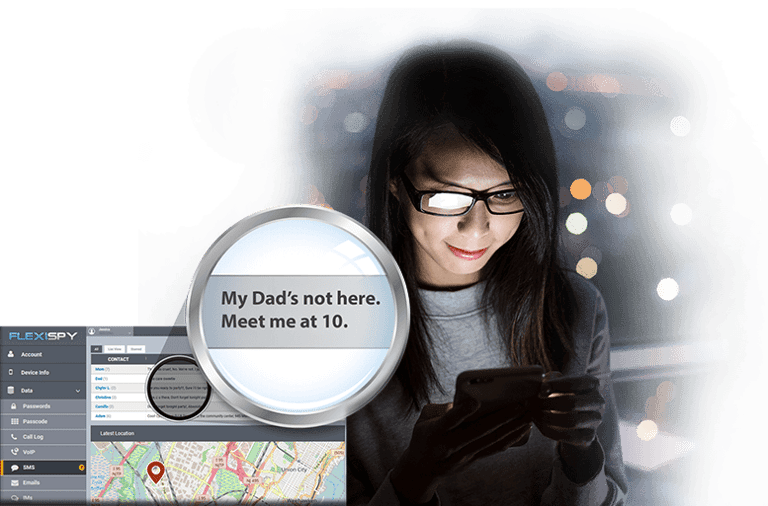
If your child spends a lot of time sending and receiving text messages or chatting, you might be concerned. But our FlexiSpy SMS monitoring feature allows you to read all text messages sent or received on the target device. It can help you view your child's chat history on their phone. You can read these messages to ensure your child isn't chatting with strangers or engaging in inappropriate conversations. Simply click on the "Messages" option on the left side of the FlexiSpy online control panel to view their text message activity.
View Contacts
FlexiSpy can help you find all the contacts saved on your child's device. You can view and analyze these contacts. If you find any suspicious numbers, you can take action to investigate the person's identity. If the person is a malicious individual, you can remotely delete or block these numbers.
In addition, this contacts section allows you to view and add any contacts. This feature lets you select any specific contact; you'll see message and email icons, as well as their phone number, displayed next to their name.
After clicking on the message, you will be taken to the messaging interface. The screen will display all the text message history between you and that contact.
Monitor audio files
The audio monitoring feature ensures that your loved ones are not exposed to inappropriate or harmful audio files. It allows you to remotely access the device's audio recordings and listen to everything that's happening, without the target person knowing.
Video Features
Like audio files, videos can also contain content that is harmful to children. Therefore, as a parent, you need to monitor your child's activity and understand what videos they are sharing and receiving. You can discreetly view the video content on their devices. Simply log in to your online control panel to download and view the video files saved on the target device.
Social media monitoring
Social media is a vast platform we all use to connect with others. It includes Facebook, Snapchat, Instagram, Line, TikTok, WhatsApp, Viber, Tinder, and many more. But as a parent, you may not always be aware of your children's instant messaging activity. Understanding when they interact online and what they share is crucial. Therefore, closely monitoring your children's online activities is essential for their safety. With FlexiSPY installed, you can track their social apps and understand their activity. FlexiSPY is dedicated to helping you monitor the online interactions of your target users. It allows you to track their chat history, shared media files, call logs, and everything else they access—all without their knowledge.
Photo Tracker
Parents' concerns didn't end there; they were curious about the photos their children were receiving and sending. They wanted to make sure their children weren't sending or receiving nude or adult photos. Therefore, the only solution was to use this feature to view the photos on the target device. You can view all the photos without your child's knowledge and take appropriate action against any unusual behavior.
App Monitoring and Management
FlexiSPY provides top-notch application monitoring and parental control features. It allows you to track your child's activities and set restrictions when necessary. The advantage of this feature is that you can see what your child is doing on their digital devices and how much time they spend on specific applications. With it, you can easily identify which applications they are using and which ones they shouldn't be using.
Guiding children to develop healthy digital habits is crucial, as without proper control, their exposure to inappropriate content increases. If your child is addicted to a particular app, you can monitor their usage and set usage limits.
FlexiSPY allows you to set time limits by measuring usage time and launch time. Once the set time limit is reached, the application will automatically lock, preventing your child from opening the application again until the time limit is reset.
Web Browsing Activities
The internet is a powerful platform connecting people all over the world. We use it for countless reasons, but it can also be dangerous if used irresponsibly. Parents worry about the wide variety of data their children encounter online. Sometimes, they visit adult websites, pornography sites, gambling sites, and racist sites, or other content inappropriate for their age. This situation causes concern for all parents.
FlexiSpy web activity feature allows you to monitor a target user's browsing history and search content without their knowledge. This feature provides detailed records, including date and time, giving you a clear understanding of your child's online activities. You can even block certain websites and restrict access through the online control panel. This powerful feature helps parents protect their children from harmful or unethical content.
Installed Applications
Android and Apple app stores allow users to download various applications for free. However, this raises concerns for parents, as some applications are not suitable for children, such as those promoting political hatred, cartoons containing explicit content, and games inappropriate for children. Therefore, it's necessary to ensure your child stays away from inappropriate content. With FlexiSpy, you can see which applications are installed on your child's phone and remotely block and delete unsuitable apps from their device.
App Screenshot Features
FlexiSpy has added a new feature called "Application Screenshot." This feature allows users to remotely capture screenshots of what is displayed on the target user's phone screen while they are using their device.
This feature is extremely useful for parents and employers who are concerned about their children's or employees' device usage. They can use it to monitor the online activity of targeted users and obtain screenshots as valid evidence of real-time activity.
FlexiSpy Location Tracking
Do you know where your loved ones are right now? Is your child at school or a club? Are your employees working diligently? Is your partner in the office or a restaurant? Now, FlexiSpy can help you track the location of target devices in real time. Simply install this application, log in to your online control panel, and you can see the location of your loved ones. This helps you know the exact location of your children, employees, and partners. By knowing this information, you can quickly grasp the location of target users and take timely action in case of anomalies. Furthermore, FlexiSpy's location tracking feature can also assist your loved ones in emergencies.
Geofencing
Now, FlexiSpy allows you to track your target and set virtual boundaries for specific areas on their device. You can easily prevent your loved ones from going to places you don't want them to go, without them knowing. This application will notify you when they enter or leave the marked area. Therefore, this feature provides a simple way to monitor the target user's geographical location. Users can utilize this feature to address various situations and protect their loved ones.
Ambience Sound Recording
FlexiSpy powerful features are ideal for parents and employers. It allows you to access the target device's microphone and listen to the surrounding environment. The recorded audio can serve as evidence to take action if problems arise.
This feature truly helps you protect your children and ensure business safety in many ways. You can listen to and record sounds from your surroundings to ensure the safety of your loved ones.
USB Connection and File Transfer Monitoring
FlexiSpy can help you monitor your computer and view shared files. You can see the names of recently transferred files, as well as the names of USB devices connected to the target system.
Sometimes, people name their USB drives or devices with their own names or items that reveal their identity. If this is the case, you can find the leaked data and the culprit responsible for the data leak.
In addition, it offers printer tracking functionality. As the name suggests, it can track every document printed by the system.
Those who store sensitive files on their computers consider this feature the most important. No matter what methods hackers use, you can easily find out if files have left your system.
Remote Commands
FlexiSpy offers specific remote commands for controlling target devices. If you are a parent, your child may receive text messages containing inappropriate words and content. Therefore, to protect your child, you can block text messages and modify the text they send without their knowledge. You can also secretly restart devices, enable notifications and silent mode, and check Wi-Fi connection status and battery usage.
FlexiSpy Keylogger
FlexiSpy has the best keylogger feature that records everything that is clicked on the targeted device. It never misses a single click from the device so you can get complete knowledge of your children's and employees' keyboard details
When using this feature, you can view the messages they sent or received, as well as the search queries they entered. FlexiSpy displays only this much.
You can read everything they type, even messages the target user has deleted; you can read them before they're deleted. Furthermore, you can obtain passwords by recording everything they type on the target device. With FlexiSpy installed, every keystroke they make is recorded sequentially, allowing you to view everything they type on the device.
FlexiSpy Device and Version Compatibility
FlexiSpy supports a wider range of devices, the specific list of which is shown below.。
FlexiSpy Android
FlexiSpy can track devices running Android versions OS 4 to16. Installing FlexiSpy on an Android device takes only a few minutes. Furthermore, you don't need to root your Android device to download and use FlexiSpy.
If you want to install the app on Android phones, including Google Pixel, Samsung, and Redmi, you'll need to understand a separate installation process. Other devices can be installed using the general installation guide for Android device monitoring software.
FlexiSpy iPhone
iPhone monitoring software supports several iPhone devices. But remember, if you want to check the compatibility of the iPhone for using different features, you need to go through iPhone testing features. You can enter the version of the device that works for monitoring.
For more information, FlexiSpy supports iOS versions 5 to 18 and is available on iPhone devices pre-installed with the software.
FlexiSpy for iPad
When it comes to iPads, they're easy to use and have wider compatibility. Simply check the device compatibility information to see which iPad models (running iOS 6.0 to iOS 18.x) are compatible.
However, if you are concerned about compatibility issues between your iPad and your iPad iOS version, simply go to Settings and tap General. Here you can find information about your iOS version and its compatibility.
Windows and Mac
FlexiSPY supports both Windows and macOS operating systems. Regarding Windows compatibility, it works with Windows 7, 8 (and 8.1), 10, and 11. However, do you know how to check for Windows compatibility?
Press the start button.
Click "Run" in the search box, and then press "Enter".
Now, type "winver" in the "Run" window and press "Enter". The system will display the Windows version information.
As for Mac computers, FlexiSPY can run on Apple macOS Mavericks to macOS Sonoma systems.
Checking your macOS version is very simple; just follow these steps:
Click the Apple icon in the top left corner.
Click "About This Mac". Your macOS version will be displayed.
Before installing these two devices, you need to have physical access to the target devices. Then, you can secretly install and monitor the devices' activity.
How Much Does FlexiSpy Cost?
FlexiSpy offers affordable services with excellent monitoring capabilities. Here is a subscription package for the FlexiSpy app.
Pricing Plans
The price of Android and iOS devices remains the same, but there are occasional differences in available features. For example, the FlexiSPY Lite package ($49.95/month) only provides basic phone monitoring tools such as call logs, library access, and calendar tracking. The premium plan ($79/month) unlocks more advanced monitoring features, including social media, instant messaging, email activity, and more. For the most comprehensive features, including call recording, microphone and camera control, and powerful ambient recording capabilities, users must choose the Premium Edition package ($119/month).
FlexiSpy Portal
All FlexiSpy plans have free access to the portal. This is an online interface where you can view the monitoring data of the target device. You can also send remote instructions to the target device through the portal.
How To Use FlexiSpy App?
Before using the FlexiSpy app, you don't need to perform any special actions; simply install the app on the target device. Once installed, you can remotely monitor the target device. After successfully installing the app, log in to your FlexiSpy account. You will find many features on the FlexiSpy platform that will help you track device activity and see everything that's happening on your loved one's device through the FlexiSpy online control panel.
Step-by-Step Guide to Installing FlexiSpy on Your Target Device
This application allows you to easily collect data from the target device and view it through its web control panel. However, you need to install the application according to the installation guide, which only takes a few minutes, and you may need someone to guide you through the installation process. We will help you successfully install the application so you can easily access all the activity information.
Set up Your Device
1. First, access the Flexispy official website using your device, and then find the subscription plans.
2. Then click on the “Buy Now” option.
3. After that, you’ll move on to the next page, where you’ll need to select the type of device that the target user owns.
4. Now, you have to choose the right package price for your needs and budget.
5. After purchasing the package, you will receive the URL and login credentials of the FlexiSpy online control panel via email.
Refund Policy and Payment Methods
FlexiSpy refund policy is one of its most important terms. However, refunds need to meet some conditions, and you will only be able to get a refund if you encounter technical faults after purchase that make it unavailable. To request a refund, you first need to contact the customer service team and describe the problem you are experiencing. The customer service team will try to solve your problem first; if they can't, you can get a refund.
However, you must understand that the refund amount only includes the subscription fee you paid. If you choose their paid installation service and the application fails, you won’t get a refund for the installation fee. If the installation itself is unsuccessful, your full amount will be easily refunded.
FlexiSpy also lists reasons why you may not be eligible for a refund. These include the following:
If you lost access to the target device:
The antivirus software deleted the application.
The target phone has been restored to factory settings.
In addition, refunds are only available for online banking payment methods. If you choose to pay by wire transfer, you cannot get a refund.
You can choose from a variety of payment methods, including PayPal, Visa and Mastercard.
FlexiSpy refund policy is very strict, so be sure to read all the rules and terms carefully before applying for a refund. You can find more information about FlexiSpy refund policy on the website.
FlexiSpy Customer Support Services
FlexiSpy monitoring application makes it easy for users to contact the official application team when they encounter problems. For example, FlexiSpy offers two ways to connect to customer support. The first is via email, and the second is through online chat. Users can easily access online chat support from the home page. When you contact their team, they will respond to all your questions within a minute and resolve your issue as soon as possible. You can always send messages to their team, who are available 24 hours a day to help you. As a result, FlexiSpy customer support team is excellent and able to provide quality service to all customers.
What Do Customers Think of FlexiSpy?
The FlexiSpy review contains all the information that will help you make the final decision and choose this well-known app. In our evaluation, we looked at user reviews from two popular review platforms, Trustpilot and SiteJabber, which show how users feel about the FlexiSpy app experience and how they are satisfied with this popular app.
On the Trustpilot platform, FlexiSpy received an overall rating of 4.1/5 based on 210 user reviews. 84% of users gave it a five-star rating, and 6% gave it a four-star rating. This means only 10% of users rated its service at three stars or lower. Therefore, this rating data reflects customer feedback and indicates that most users are satisfied with the service.
On Sitejabber, FlexiSPY scored a score of 4.0 out of 5 based on 124 reviews, indicating that many customers are satisfied with their service.
Compare FlexiSpy to Other Monitoring Apps
Here is a comparison of FlexiSPY with mSpy. With its advanced features, FlexiSPY is ideal for anyone who needs comprehensive monitoring features.
Conclusion:
FlexiSpy is the ideal monitoring application to protect the network security of your loved ones. Its unique features include call recording, environmental recording, application management, social media and dating app monitoring, remote control, and USB data transfer. These features are an important part of online monitoring and digital tracking for Android, iOS devices, computers, and iPads. After reading the above review, you will find that the app is worth the money and that it does well in monitoring children and employees.
Frequently Asked Questions about FlexiSpy
Is FlexiSpy legal?
Yes, but its legitimacy depends on the circumstances and varies from one case to another. In some countries, it is illegal to use a monitoring app on a device without the consent of others. Therefore, you need to be aware of the laws and regulations in your country. However, if you are monitoring for the protection of your child, or if you are tracking employees for the sake of your business safety, then this is legal.
Can FlexiSpy be Detected on the Target Device?
No, once you gain access to the target device and install it on the target device, it runs in incognito mode. This means that your target users are not aware of the existence of the application. You can unknowingly monitor the target person.
Can FlexiSpy Run on Tablets, iPads, Mac, and Windows Systems?
Yes, FlexiSPY can run on tablets, iPads, Mac, and Windows devices without the target user being aware of it. It is compatible with Windows 7 to Windows 11, as well as older versions of macOS, such as El Capitan and Mavericks. FlexiSPY also supports the latest versions of macOS, including Ventura and Sonoma.
How Do I Check the Monitoring Data?
You can use your credentials to login to the Flexispy Control Panel to view the monitoring data. All the information is in order to make it easy for you to access at any time.
Can Flexispy Run on Devices That are Not Root or Jailbreaking?
Yes, Flexispy offers options for rooted and unrooted Android devices as well as jailbreak and non-jailbreak iOS devices.
Can I Uninstall Flexispy Software Remotely?
Yes, you can remotely uninstall Flexispy through the Control Panel.
How Much Does Flexispy Cost?
Flexispy offers a variety of subscription options at different prices. You can choose a plan that suits your needs and budget.
What Happens if the Target Device Receives the Update?
Flexispy provides regular updates to ensure compatibility with the latest version of the operating system.